
How the planner works
The planner holds one week at a time, as a list of what you'll cook. There are no set days, so cook in whatever order suits you.
Updated November 12, 2026
The planner is a list of what you're cooking this week: recipes, frameworks and notes. Meals belong to the week, not a day, so there's no Monday or Tuesday to fill in. Cook them in any order and check each one off as you go.
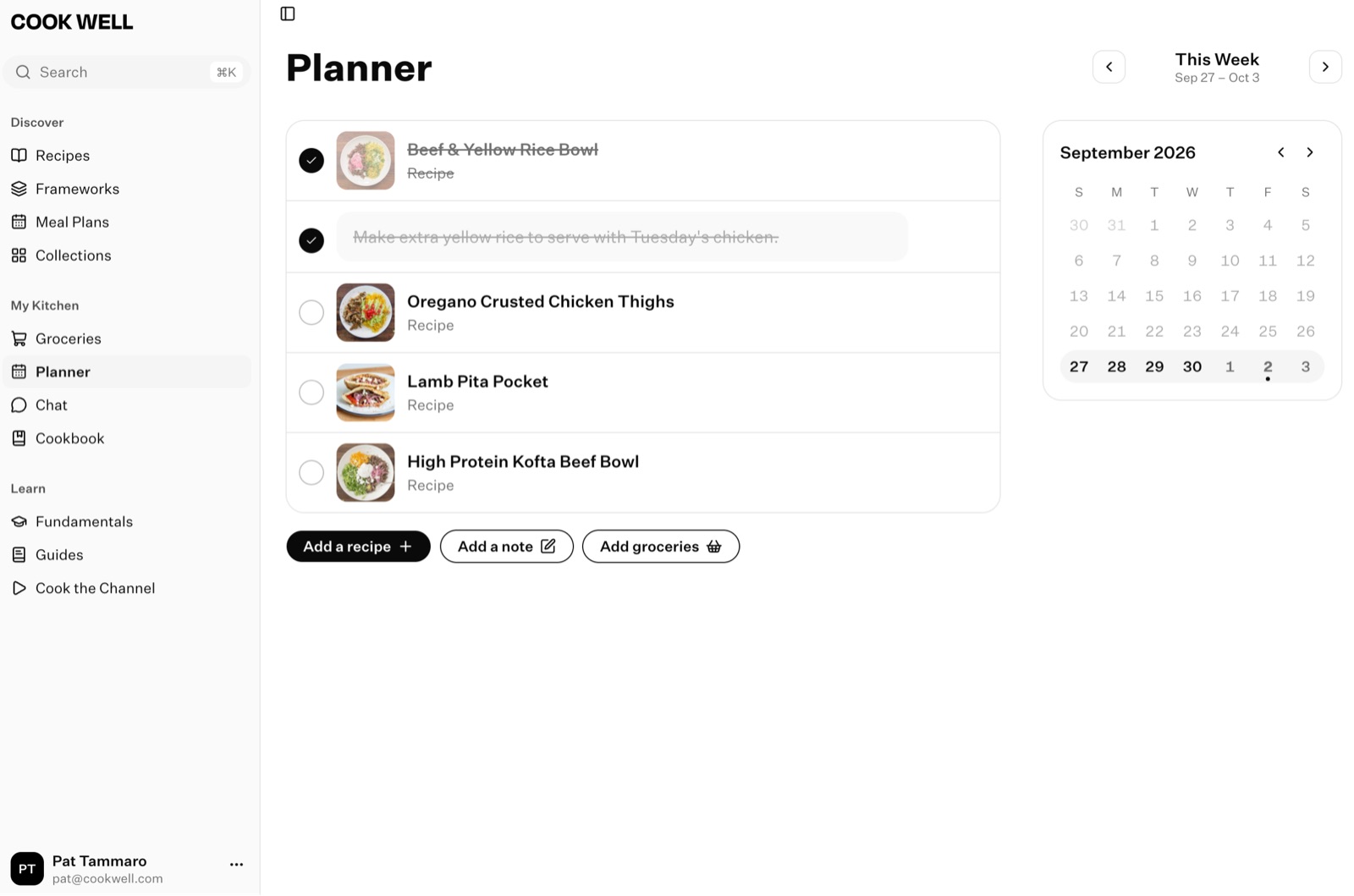
Move between weeks
Open the Planner tab. Use the arrows at the top to go back or forward a week. To get back to this week, tap Today on iPhone, or the calendar button on Android.
The planner always opens on this week.
Choose Planner in the sidebar. Use the arrows at the top to go back or forward a week, or pick a week from the calendar beside it on a wide screen. Go to today brings you back to this week.
You can plan as far ahead as you like, and look back at past weeks.
When your week starts
On your phone, choose the day your week starts in Settings → App Settings → Week Start Day. It's Sunday unless you change it, and it's saved on that phone only. On the web, the week always starts on Sunday.
If your phone's week starts on a day other than Sunday, something you plan on the web can show up in the week before on your phone. Keeping Week Start Day on Sunday keeps the two the same.
In a household
You share one planner. Anything either of you adds, checks off or removes shows up for the other.
Something here out of date or unclear? Email support@cookwell.com.