
What's in your cookbook
Your cookbook keeps every recipe you've saved, written or imported, in one place you can search.
Updated November 12, 2026
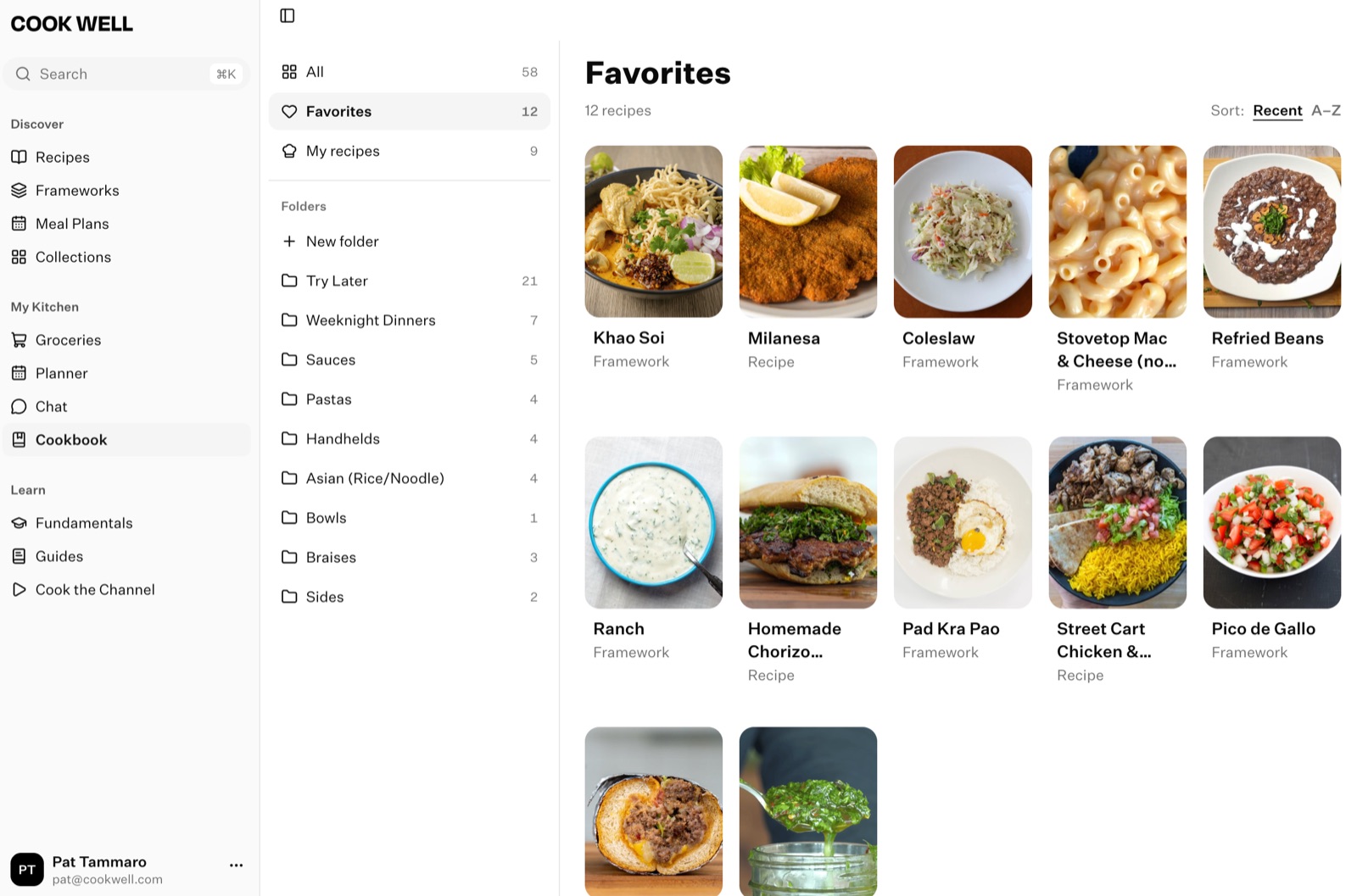
Your cookbook is where everything you save lands: recipes you've favorited, put in a folder, written, imported or made your own version of. On your phone it's the Cookbook tab. On the web it's Cookbook in the sidebar.
- All: everything in your cookbook.
- Favorites: recipes you've hearted. See Favorites and folders.
- My Recipes: recipes you've written or imported. See Write your own recipe and Import a recipe.
- Variations: your own versions of Cook Well recipes. On the web, they're in My recipes under Variation. See Make your own variation.
- Folders: groups you make, like “Weeknight dinners” or “Try later”.
Search your cookbook
Use the search bar at the top of the cookbook. It looks through titles, descriptions and the notes on your own recipes. On the web, search is at the top of All. Search in the sidebar, or ⌘K, can search just your cookbook too.
Add to your cookbook
Tap + at the top of the cookbook (top left on iPhone, top right on Android) to write a recipe, import one or make a folder. On the web, use New recipe in My recipes, or New folder.
In a household
You share one cookbook: favorites, folders, your own recipes and variations. If one of you favorites a recipe, it's a favorite for both of you. Your cooking history stays your own. See What's shared and what stays yours.
Something here out of date or unclear? Email support@cookwell.com.